
Meet the New Month View
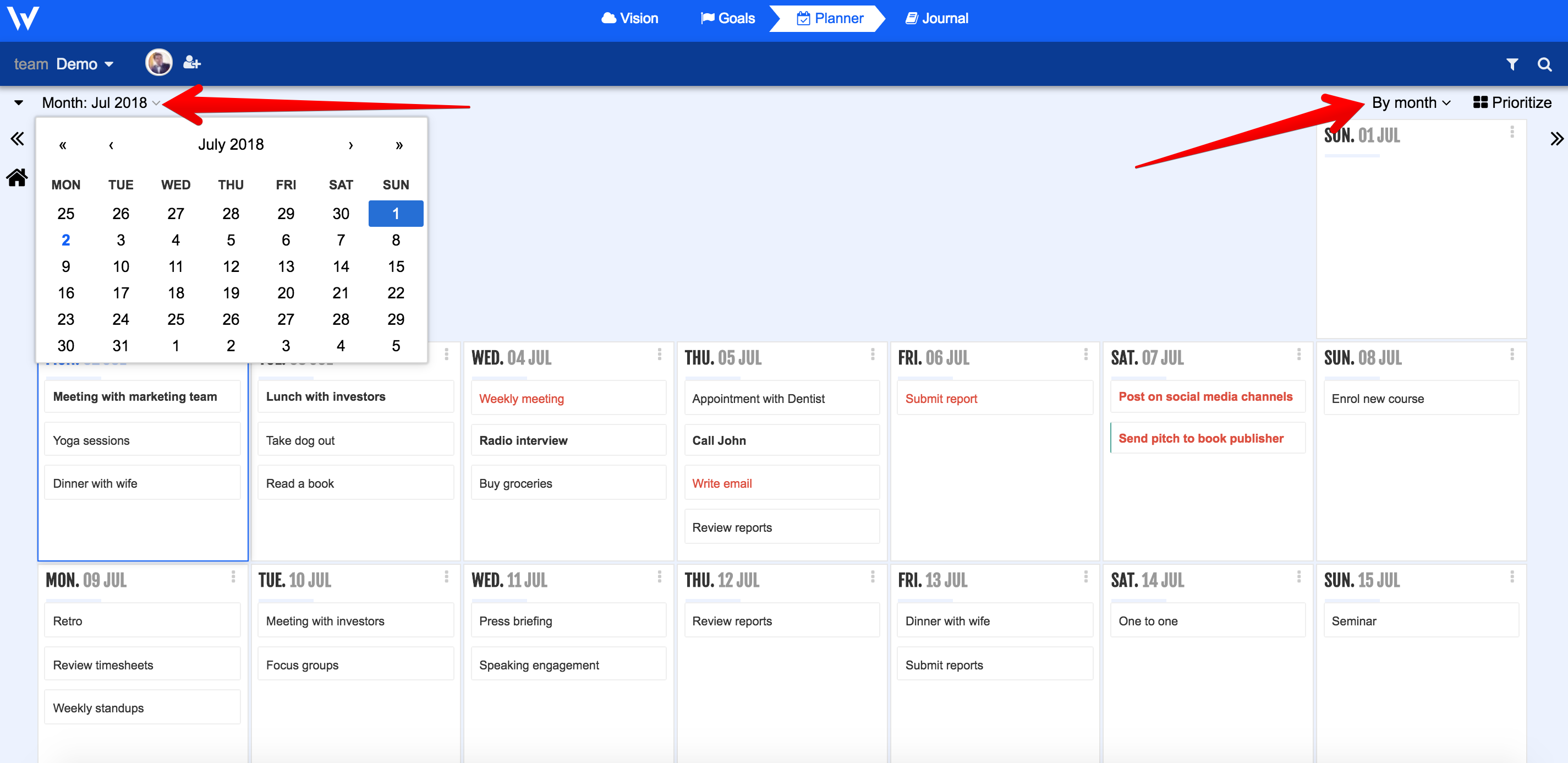
We’ve got loads of great features for you! First, we’re introducing a new month view in the latest version of Week Plan. The new feature gives you an overview of all your tasks for the month. Previously, you only had the option to view your tasks by day, or by week.
Conquer Tasks With Floating Sidebars
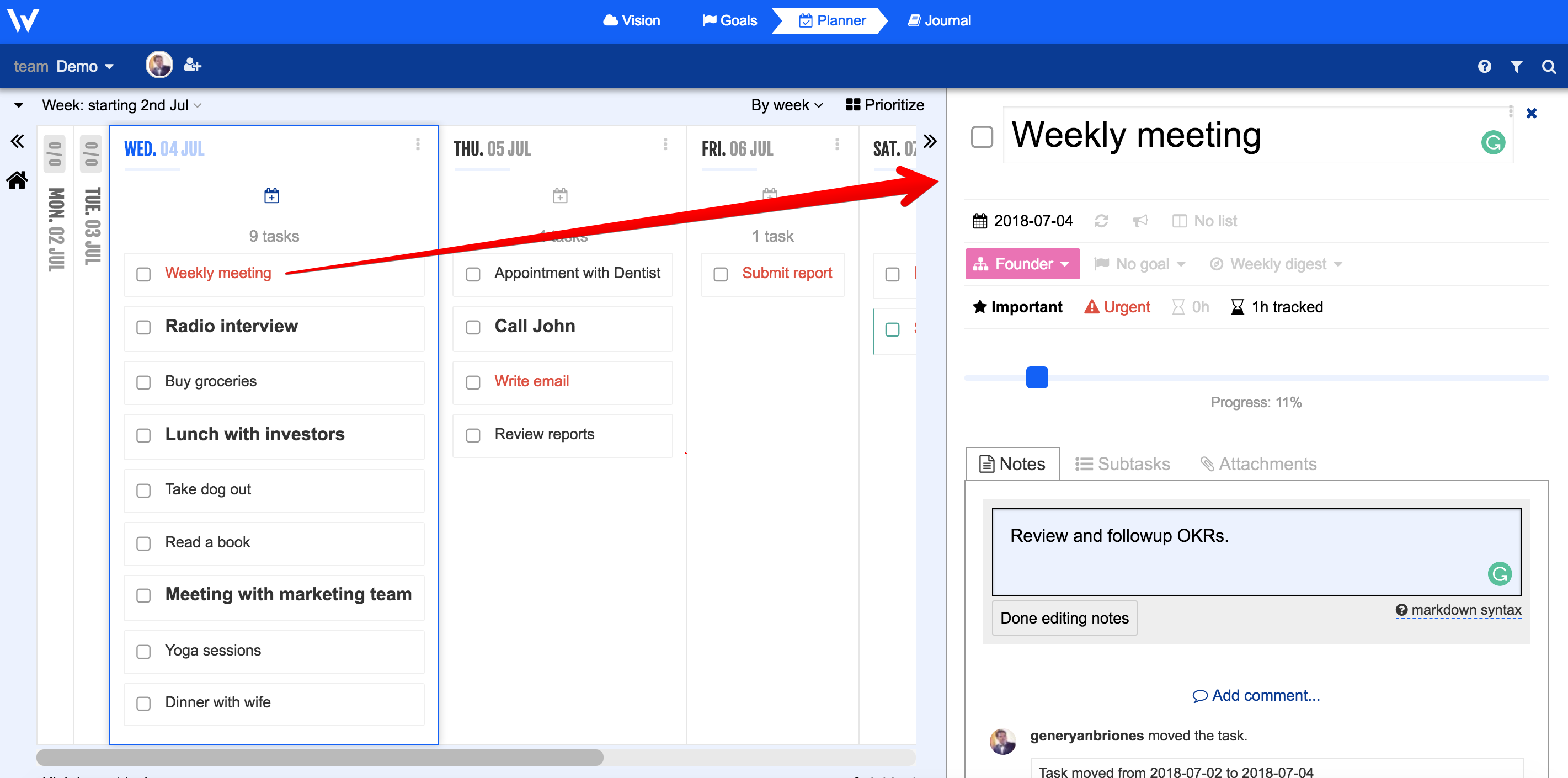
When you click on a task, it will open in the sidebar. It means that now it is easier than ever to move subtasks into the week, or drop tasks in the subtasks list.
New Navigation Bar for Everything
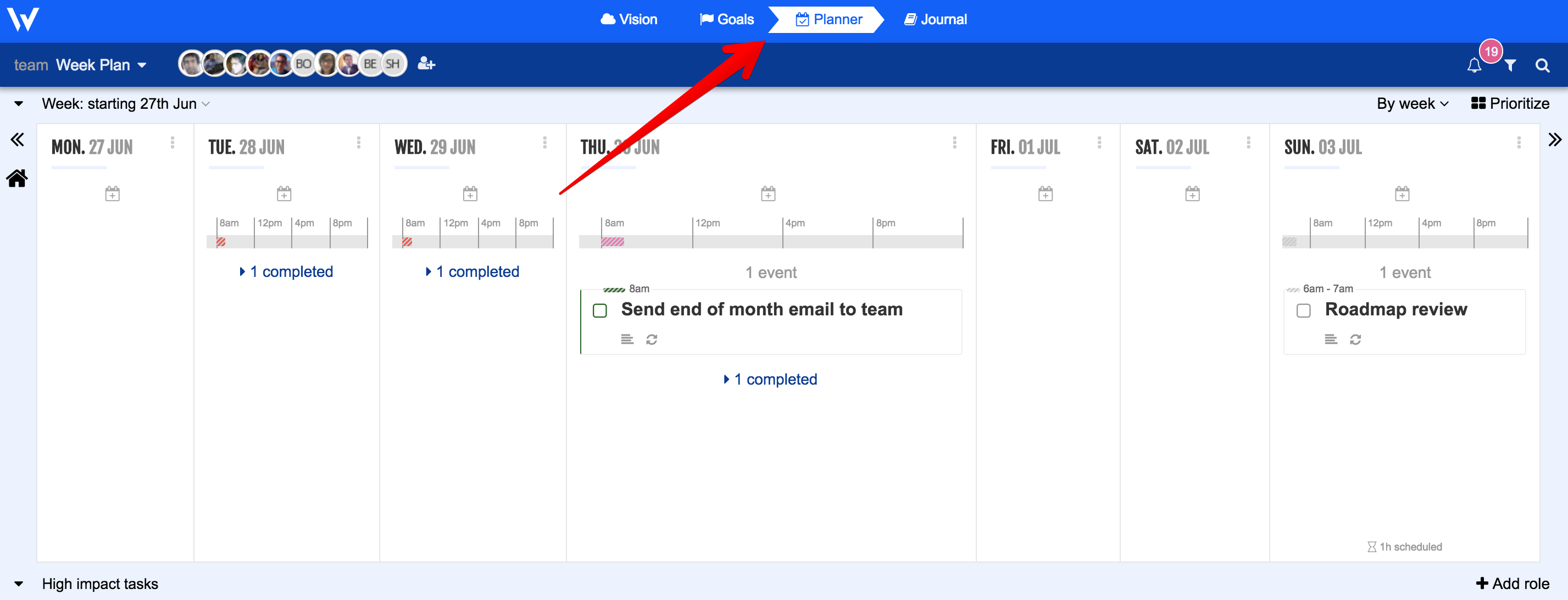
We wanted to surface the full value you get out of the Week Plan. It is not just a planner, you get a vision editor, a goal manager, a journal… Fewer clicks, more wins!
Stay Up to Date With Notifications
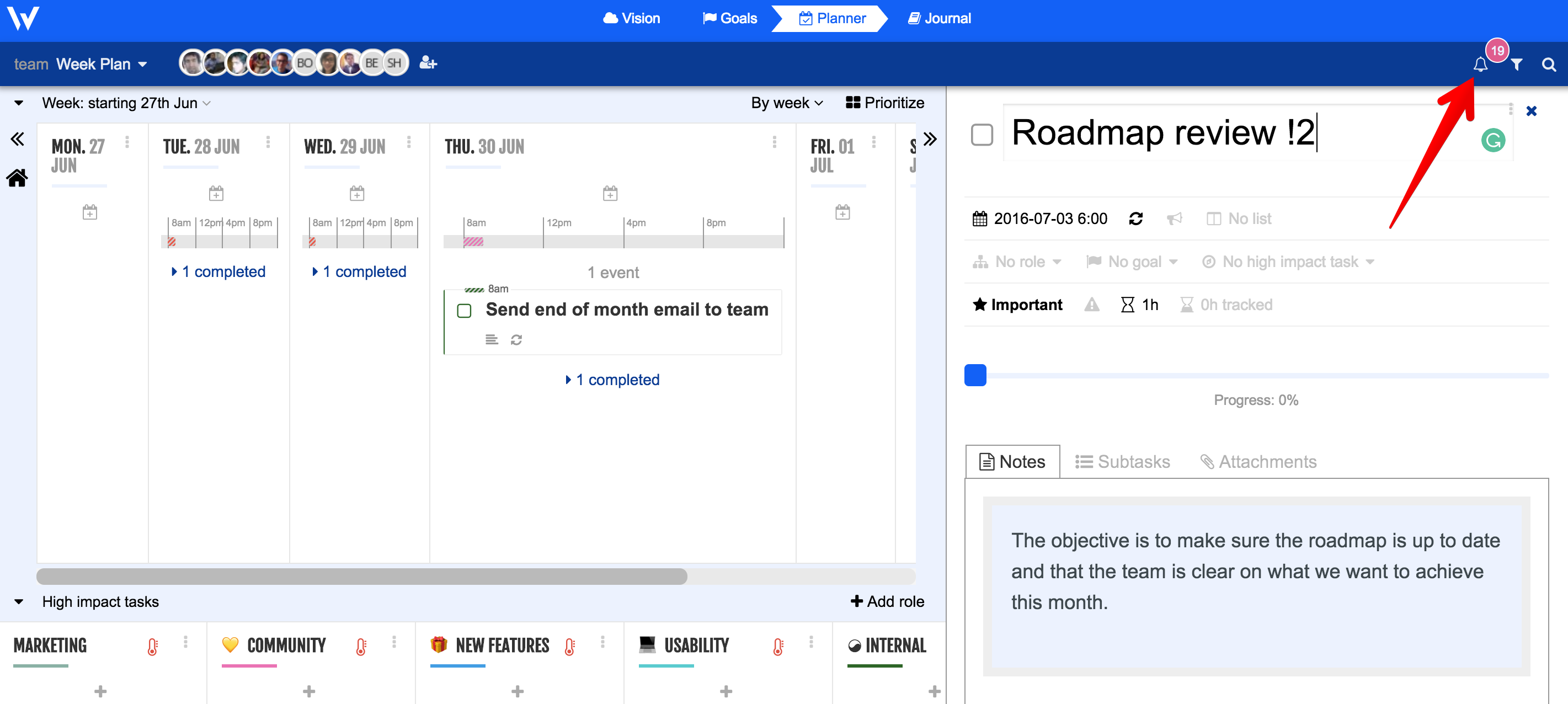
Keeping track of everything used to be a challenge. Now we’ve made it easier for you by introducing Facebook-like notifications. Did Dave the developer push the latest version of your app live? Did your marketing team accomplish all high-impact tasks today? The new notifications feature will show you all the recent changes in your workspace.
Navigation Buttons on the Left and Right
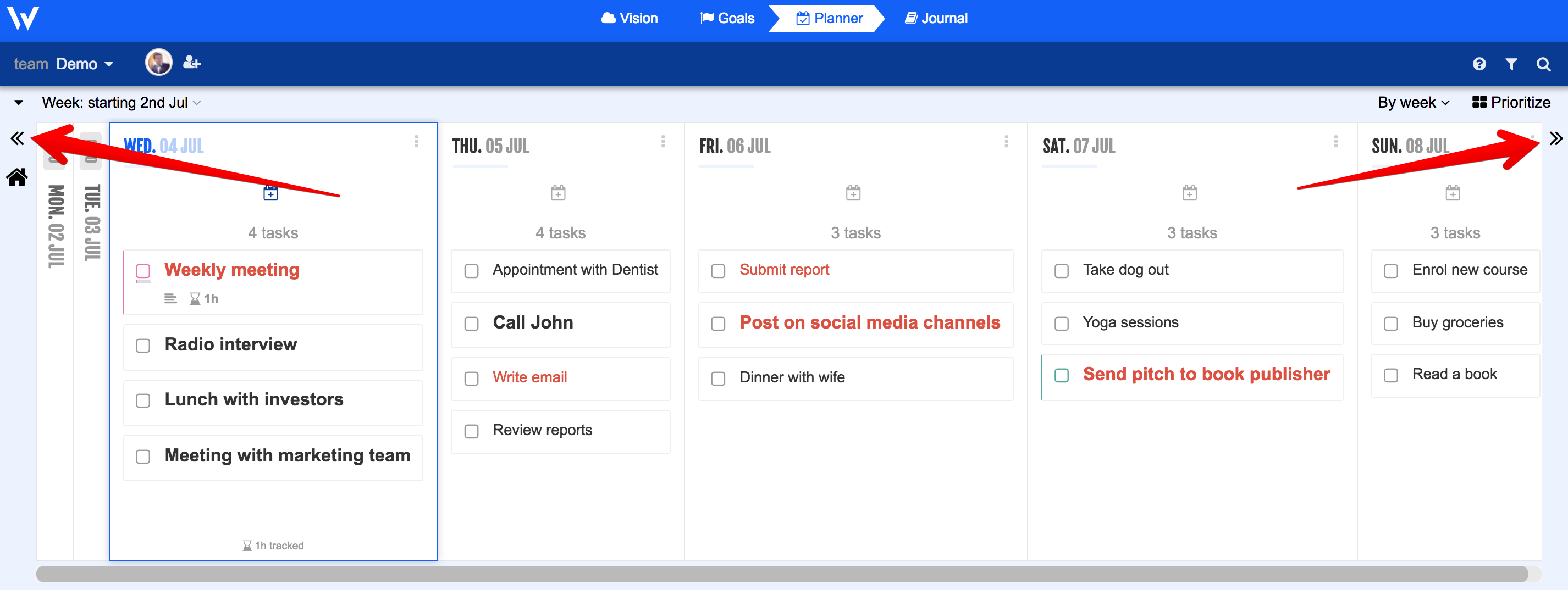
We’ve also added nifty navigational buttons on the left and right sides of the Planner, making it easier for you to go back to previous dates or move forward to future events.
Other Important Updates
- We’ve removed the team settings on the left menu and displayed it at the top of workspace.
- You can now remove roles from the induction pages.
- Week Plan now lets you collapse a list by clicking on its side. There should be a hover effect when you click it.
- We’ve also removed the click to tweet default task.
- We’ve added a page that will ask about your persona, whether you’re a student or a busy mom, and a freelancer or entrepreneur.
Bug Fixes
Lastly, version 2.113.3 comes with a few bug fixes, making Week Plan better than ever.
Week Plan is getting better and better each week. Stay tuned for more awesome updates. Thank you for using our product.
More Posts
Top 10 Advantages of Podcasting for Your Small Business
In today's fast-changing digital world, using podcasts can really help your small business grow. More and more people are listening to podcasts, giving businesses a great way to reach and connect with people....
Top 8 Free Digital Planners of 2026
Organizing our daily tasks and plans digitally is no longer a luxury - it's a necessity. Given our increased reliance on technology, finding the right digital planner is like finding your perfect mate....
10-surprising-benefits-of-journaling-for-improved-productivity
Journaling has been a big help in self-care and personal growth for many years. People like Einstein and Kahlo proved its value. Studies show it boosts mental health and productivity. [Journaling](https://weekplan.net/academy/glossary/self-journaling/) every day...
11 Effective Time Audit Stratigies for Employee
Being good with time is key to getting more done at work. A time audit helps find where time is wasted. There are a few ways to conduct a time audit for employees,...